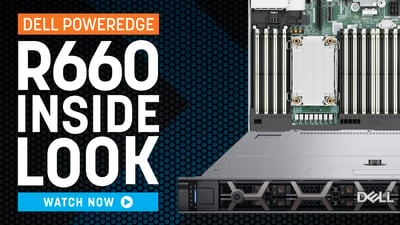
As organizations push further into AI, data-intensive workloads, and high-density virtualization, the underlying server hardware becomes even more critical. With Dell’s transition from the 16th-generation (16G) to the 17th-generation (17G) PowerEdge platform, two models often compared are the R660 and R670. While both servers share strong performance profiles and are built for modern enterprise workloads, the jump to the R670 in the 17G family introduces significant enhancements that position it as a more future-ready solution.
Let’s break down what’s similar, what’s different, and why the R670 is gaining attention - especially in AI and next-generation data center conversations.
Core Platform Comparison
| Category | PowerEdge R660 (16G) | PowerEdge R670 (17G) | Operational Impact |
|---|---|---|---|
| CPU architecture | Intel Xeon Scalable (4th / 5th Gen) | Intel Xeon 6 (P-core and E-core SKUs) | Higher core density and better perf-per-watt |
| Max cores per CPU | ~64 cores | Up to ~144 E-cores (or ~86 P-cores) | Increased VM / container density |
| Memory type | DDR5 | DDR5 | - |
| Max memory speed | ~5600 MT/s | Up to ~6400 MT/s | Higher memory bandwidth |
| Max memory capacity | Up to ~8 TB | Up to ~8 TB | Capacity similar, faster throughput |
| PCIe | Up to 2x Gen5 | Up to 3x Gen5 | High-speed accelerator/NIC support |
| NVMe density | Gen5 NVMe options | Higher E3.S Gen5 NVMe density (up to ~20 drives) | More IOPS per RU |
| Platform lifecycle | 16G | 17G | Longer support horizon |
Core Density and Consolidation Potential
The R670 supports Intel Xeon 6 processors with significantly higher maximum core counts compared to the R660’s Xeon Scalable processors.
- R660: up to 64 cores per CPU
- R670: up to 144 cores per CPU
For virtualization and containerized environments, this directly affects:
- VM density per host
- Container consolidation ratios
- Rack-level compute density
- Reduced node count for equivalent workload capacity
This is not simply a performance increase - it’s a consolidation multiplier.
New Processor Generations: Intel’s “Performance & Efficiency” Shift
One of the most significant changes in 17G is Intel’s updated processor classification. Traditionally, Intel CPUs were grouped into metal tiers - Bronze, Silver, Gold, Platinum.
With the 17G generation, this changes. Intel now categorizes CPUs as:
- Performance cores (P cores)
- Efficiency cores (E cores)
For customers who struggle to translate “Gold vs. Platinum,” this new model is far more intuitive. This shift simplifies the selection process and aligns better with modern hybrid cloud and AI workloads.
The redesigned processor architecture provides:
- Better power efficiency
- More consistent performance scaling
- Higher core density options depending on workload requirements
Higher Memory Bandwidth
While both systems support up to 8 TB of DDR5 memory, the supported memory speeds differ:
- R660: up to 5600 MT/s
- R670: up to 6400 MT/s
This increase in memory bandwidth improves:
- Database throughput
- In-memory analytics performance
- Virtualization density before memory contention
- High-thread-count workload efficiency
For memory-sensitive workloads, this bandwidth increase can be more impactful than additional CPU frequency.
More NVMe Options (and the End of SAS SSDs)
With 17G, Dell is officially moving away from SAS SSDs, as they’re no longer supported in this generation. Instead, NVMe becomes the standard for performance storage. And NVMe density is one of the most practical differences between these platforms.
- R660 supports up to 16 E3.S Gen5 NVMe drives (plus rear options)
- R670 supports up to 20 front E3.S Gen5 NVMe drives plus 2 rear E3.S drives
NVMe Benefits:
- Lower latency
- Higher throughput
- Better efficiency per watt
That difference can materially impact:
- Hyperconverged storage node design
- IOPS per rack unit
- Software-defined storage cluster sizing
- Analytics and high-throughput storage workloads
In dense SDS environments, the R670 allows more performance per node, potentially reducing the number of required storage nodes.
PCIe Gen5: Bigger I/O Pipeline for High Demand Workloads
One of the more practical architectural differences between the platforms is PCIe expansion flexibility, particularly for high-speed networking, GPUs, DPUs, and storage adapters.
PowerEdge R660
- Multiple PCIe riser options with Gen4/Gen5 expansion slots depending on configuration
- Typically up to ~2 PCIe Gen5 expansion slots (plus additional Gen4 lanes depending on riser layout)
PowerEdge R670
- Designed fully around Gen5 I/O expansion
- Supports up to three PCIe Gen5 x16 slots depending on riser configuration
- Additional configurations allow two front x16 Gen5 slots or multiple Gen5 slot layouts with OCP 3.0 networking integration
Operational Impact
For infrastructure teams, this translates to:
- More bandwidth per lane
- Support for faster NICs
- Better performance for GPUs and accelerators
- Future proofing for high-speed storage
- For AI especially, the improved I/O pipeline is a major differentiator.
While both systems support PCIe Gen5, the R670 increases usable Gen5 slot density, which becomes meaningful in environments deploying 100/200/400Gb networking, composable infrastructure adapters, or accelerator-heavy nodes.
Why the R670 Matters for AI Workloads
AI workloads, especially inference, benefit from larger memory pools, faster storage, higher I/O, and stronger CPU performance and core flexibility.
What the R670 improves on:
- Expanded NVMe count
- New CPU architecture
- PCIe Gen5
- Memory scalability
The R670’s combination of these improvements makes it a more natural fit for AI discussions compared to the R660. It doesn’t necessarily replace GPU dense systems like the XE series or XR family, but it does offer a general purpose AI-capable platform for customers still early in their AI journey.
SMB Impact: Does All the New Power Matter?
For SMB environments, the key question is not “Is the R670 faster?” but “Will this additional density translate into real value?”
Typical SMB Deployment Patterns
Most SMB deployments involve:
- 10–80 VMs per node
- ERP, SQL, and file workloads
- Small hyperconverged clusters
- 5–7 year hardware refresh cycles
In many SMB environments, bottlenecks are more commonly related to storage throughput or memory pressure rather than pure CPU frequency.
Where the R670 Helps SMBs
Even if current workloads do not require maximum density, the R670 offers:
- Greater long-term headroom before hitting scaling limits
- Higher consolidation potential when replacing multiple legacy hosts
- Increased NVMe density for HCI deployments
- Longer useful lifecycle before refresh
For growth-oriented SMBs planning to expand virtualization density over time, the R670 can reduce mid-cycle scaling constraints.
When the R660 Remains Ideal for SMBs
The R660 is still an excellent choice when:
- Expanding an existing 16G cluster
- Workload growth is predictable
- Storage remains external (SAN/NAS)
- Budget efficiency is the primary driver
In these cases, the R660 provides strong performance without over-provisioning.
Enterprise Considerations
For enterprise environments, the question is rarely whether the R670 is more powerful. The more relevant question is whether the architectural differences meaningfully change cluster design, consolidation ratios, or long-term infrastructure planning.
In larger environments, infrastructure decisions are driven by:
- Rack-level density targets
- Core-based licensing models
- Storage node count in hyperconverged deployments
- Power and cooling efficiency
- Platform lifecycle alignment across global data centers
The differences between the R660 and R670 can materially affect these variables.
Typical Enterprise Deployment Patterns
Enterprise deployments often involve:
- High-density virtualization clusters
- Containerized microservices platforms
- NVMe-heavy software-defined storage
- Multi-site infrastructure standardization
- Accelerated refresh cycles tied to warranty or support lifecycles
In these environments, consolidation math matters.
Choose R660 When:
- Extending an existing 16G deployment
- Workload requirements are stable
- External storage reduces NVMe density importance
- Budget optimization outweighs lifecycle extension
Choose R670 When:
- Building new virtualization clusters
- Maximizing VM density per rack
- Designing NVMe-dense hyperconverged nodes
- Planning longer lifecycle infrastructure investments
- Standardizing on Intel Xeon 6 architecture
Conclusion
Both servers are strong options, but they serve different long-term needs.
As organizations evolve toward AI driven environments, the R670 stands out as the more strategic choice. For greenfield deployments or forward-looking infrastructure planning, the R670 represents the more strategic long-term platform.
For expansion of existing environments where requirements are well understood, the R660 remains a highly capable and cost-efficient solution.